Coming Soon - CabinetForge is awaiting Autodesk App Store approval.
CabinetForge — a Fusion add-on. Design. Detail. Build.

Free Fusion 360 add-in

Design. Detail. Build.
All inside Fusion.

A free Fusion add-in that generates a complete, fully parametric cabinet — carcass, toe kick, and door or drawer fronts — from a single command dialog, then produces shop-ready cut lists with one more click.

No license key, account, or activation step. Install it and start using it immediately.

From design to the shop floor

Everything CabinetForge does, grouped the way you'll actually use it.

01

Design

  • Base, Wall/Upper, Tall/Pantry (oven/utility or true pantry) cabinet types
  • Frameless or Face Frame construction
  • Slab or Shaker doors, all-drawer fronts, or an optional drawer bank under doors
02

Detail

  • Full drawer box generation, toe kicks, and an inset back panel
  • Every dimension is a native Fusion User Parameter
  • Reopen and edit a generated cabinet at any time
03

Build

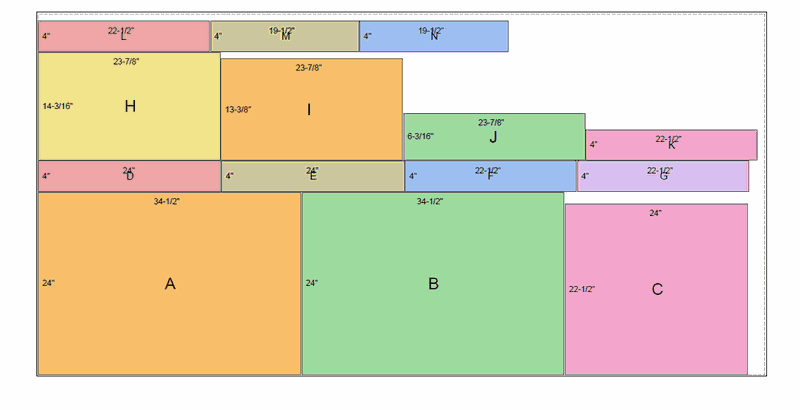
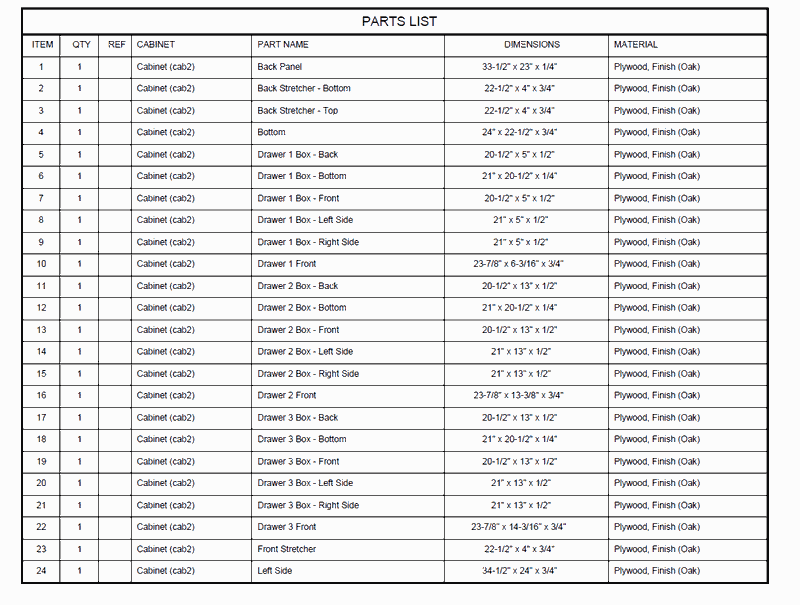
  • One-click Cut List, Parts List, Cut Chart, and Materials Required export
  • Grain-lock support so flagged parts stay oriented correctly
  • Kerf-aware nesting for accurate sheet counts

See it in Fusion

A real cabinet generated by CabinetForge, and the shop documents one click produces for it.
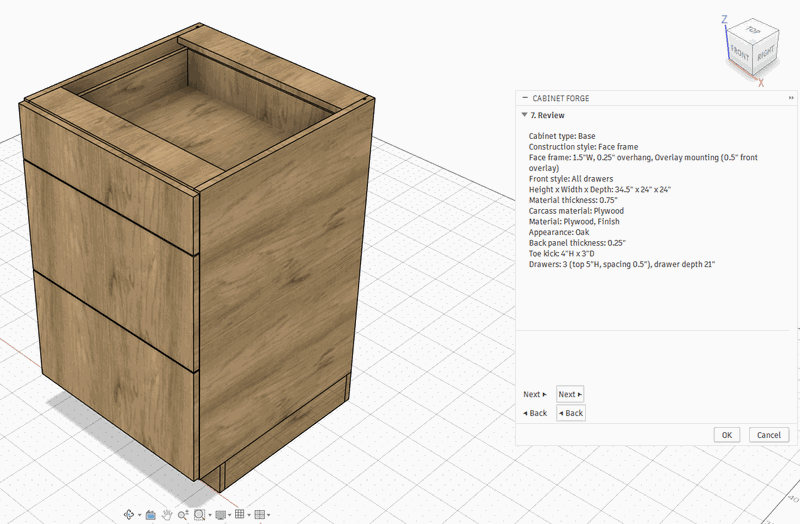
A base cabinet generated by CabinetForge, shown inside Fusion's Review step
Generated cabinet
A cut chart showing parts nested onto a sheet of plywood
Cut chart
A parts list with one row per part, its dimensions, and material
Parts list